SaaS Dashboard Design: 9 Rules for Dashboards People Use
The short answer
SaaS dashboard design means putting the few numbers a user needs to act on one screen, readable at a glance. Good SaaS dashboards are built around one role and one decision, use bars and lines instead of pies and gauges, and treat empty, loading and error states as carefully as the full view.
Key takeaways
- A dashboard answers one question for one role. Three roles usually need three dashboards.
- Lead with three to five key numbers, each with a comparison such as last week or a target.
- Bar and line charts read faster and more accurately than pies, donuts and gauges.
- Use colour for status and back it with a label, since roughly 8% of men have some colour blindness.
- Design the empty, loading and error states. A new user's first dashboard is usually empty.
SaaS dashboard design decides whether your product feels useful on day one or gets ignored by week three. The dashboard is the first screen most users see after they log in, and often the last one they bother to read. This guide covers what a SaaS dashboard is for, nine rules for designing one people actually use, and the mistakes I see most often when founders bring me a live product that isn't converting.
What is SaaS dashboard design?
SaaS dashboard design is the work of deciding which few numbers a user needs, and arranging them on one screen so they can read them and act without hunting.
The best-known definition comes from information designer Stephen Few, who described a dashboard as the most important information needed for an objective, consolidated on a single screen so it can be monitored at a glance. Nielsen Norman Group draws the same line: a dashboard is built for at-a-glance information users can act on quickly, not for open-ended exploration.
So a dashboard is not a report, and it is not a home for every feature. It exists to answer a question.
Why do most SaaS dashboards go unused?
Because they are built around what the product can show, not what the user needs to decide.
Pendo analysed feature usage across 615 software subscriptions and found that 80% of features in the average software product are rarely or never used. Dashboards are where that waste becomes visible. Every team adds "just one more" widget, and the screen slowly turns into a wall of numbers nobody reads.
The fix isn't a prettier chart library. It's a clearer brief.
Operational vs analytical dashboards: which one are you designing?
NN/g splits dashboards into two kinds. Operational dashboards support time-sensitive tasks; analytical dashboards support analysis and decisions that can wait. Knowing which one you're building changes almost every design decision.
| Operational dashboard | Analytical dashboard | |
|---|---|---|
| Question it answers | What needs my attention right now? | How are we doing, and why? |
| Typical user | Front-desk staff, support agents, ops managers | Founders, managers, analysts |
| How often it's checked | Many times a day | Daily or weekly |
| Design priority | Status, exceptions, the next action | Trends, comparisons, drill-down |
| SaaS example | Today's arrivals, unpaid invoices, open tickets | Monthly revenue, churn, cohort retention |
Many SaaS products need both, for different roles. The mistake is cramming them onto one screen.
How do you design a SaaS dashboard people actually use?
These nine rules come from shipping dashboards for live products, and from fixing ones that weren't working.
1. Start from one role and one decision. Write it as a sentence before you open Figma: "A hotel manager opens this to see what needs fixing before today's guests arrive." If you can't write that sentence, you aren't ready to design the screen. A product with three roles usually needs three dashboards, not one dashboard with three tabs of compromises.
2. Decide what is operational and what is analytical. Put the urgent, act-now information on the home view. Move trends and history one click away, into reports.
3. Put the answer where the eye lands first. In left-to-right languages that's the top-left. Lead with three to five key numbers, not twelve. If everything is emphasised, nothing is.
4. Use length and position, not area and angle. People judge the length of a bar and the position of a point accurately, which is why NN/g recommends bar and line charts for quantities, and warns that pies, donuts and gauges are hard to read quickly. A donut chart looks friendly in a mockup and slows people down in real use.
5. Use colour for meaning, and never alone. Reserve red and green for status, and back them with a label or icon. NN/g notes that roughly 8% of men have some form of colour blindness, so a dashboard that only says "red means late" fails a real slice of your users.
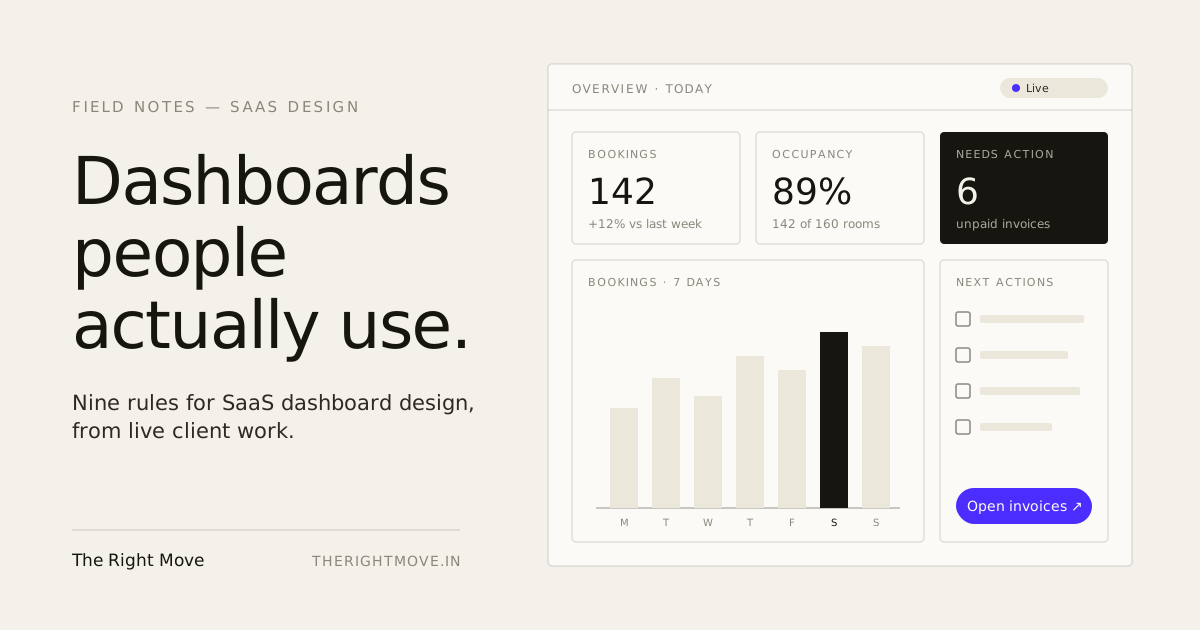
6. Give every number a comparison. "142 bookings" means little. "142 bookings, up 12% on last week" or "142 of 160 rooms filled" tells the user whether to worry.
7. Design the empty, loading and error states. A new user's first dashboard is usually empty, so design that view as carefully as the full one. Then design what happens while data loads. Jakob Nielsen's long-standing response-time limits still hold: about 0.1 second feels instant, about 1 second keeps a user's train of thought, and past 10 seconds attention drifts. Anything slower than a second needs a skeleton or progress cue, not a blank card.
8. Make the next action one click away. A dashboard that shows "6 unpaid invoices" should let the user open those six invoices from that number. Insight that ends in a dead end sends people back to spreadsheets.
9. Design for the screen it is really used on. If your operators check the dashboard on a phone between tasks, the phone layout is the product, not an afterthought. Decide what survives on a small screen first, then expand for desktop.
What are the most common SaaS dashboard design mistakes?
- Mirroring the database. One card per table (users, orders, products) looks complete and answers nothing. Design around the user's questions, not your data model.
- Vanity metrics on the home view. Total sign-ups since launch only ever goes up. It feels good and changes no decision.
- Too many charts. If a user has to scroll to find the one number they came for, the dashboard has become a report.
- Charts chosen for looks. 3D effects, gauges and donuts make data harder to compare.
- No states. A blank card while data loads, or a cryptic error when it fails, quietly destroys trust.
How I design SaaS dashboards at The Right Move
I start with the operator's day, not the feature list. On My Hotelio, a hotel management system, the brief was to bring rooms, rate plans, inventory and reservations into one operator console that an independent property could run without training. That constraint, no training, shaped every dashboard decision: what the manager sees first, which numbers sit side by side, and what one tap should open.
Because I design in Figma and build the front-end in React, the states, edge cases and long content get designed and shipped by the same person, so nothing is lost in handoff. You can see how this fits into a full engagement on the SaaS product design page, or in the wider hospitality SaaS design work.
If you're still deciding scope, the SaaS product design cost guide breaks down what dashboard-heavy products typically cost, and the MVP design checklist covers what to settle before you build.
Get a second pair of eyes on your dashboard
If your dashboard is live but users aren't acting on it, a focused review usually finds the problem faster than a redesign. Book a UI/UX Consultation and bring your current screen, or start a project.
By the numbers
- 80%
- Share of features in the average software product that are rarely or never used (615 subscriptions analysed)Pendo, The 2019 Feature Adoption Report
- 8%
- Share of men with some form of colour blindness, so colour alone can't carry statusNielsen Norman Group, Dashboards: Making Charts and Graphs Easier to Understand
- 1 second
- Delay after which a user's flow of thought starts to break, so loading states need a cueNielsen Norman Group, Response Times: The 3 Important Limits
Frequently asked questions
- What makes a good SaaS dashboard?
- A good SaaS dashboard answers one question for one role at a glance. It leads with three to five key numbers, gives each a comparison such as last week or a target, uses bar and line charts, and links every number to the action it calls for.
- How many metrics should a SaaS dashboard show?
- Most dashboards should lead with three to five key numbers. More than that usually means the screen is serving several roles or several jobs, and should be split into separate dashboards or moved into reports.
- Should I use pie charts on a dashboard?
- Usually not. Bar and line charts use length and position, which people compare quickly and accurately. Pie and donut charts rely on area and angle, which are harder to judge, so reserve them for showing one share that clearly dominates.
- What should an empty dashboard show a new user?
- Show what the dashboard will look like once data arrives, explain in one line what fills it, and give a single clear first action, such as adding the first booking or connecting a data source. The empty state is often a new user's first impression.
- How long does it take to design a SaaS dashboard?
- A focused dashboard for one role usually takes two to four weeks to research, design and test, inside a wider SaaS design engagement. Products with several roles, heavy data tables or real-time data take longer.